
Sectional Arm Tray
Measure your arm. Set the width. Slide it on.
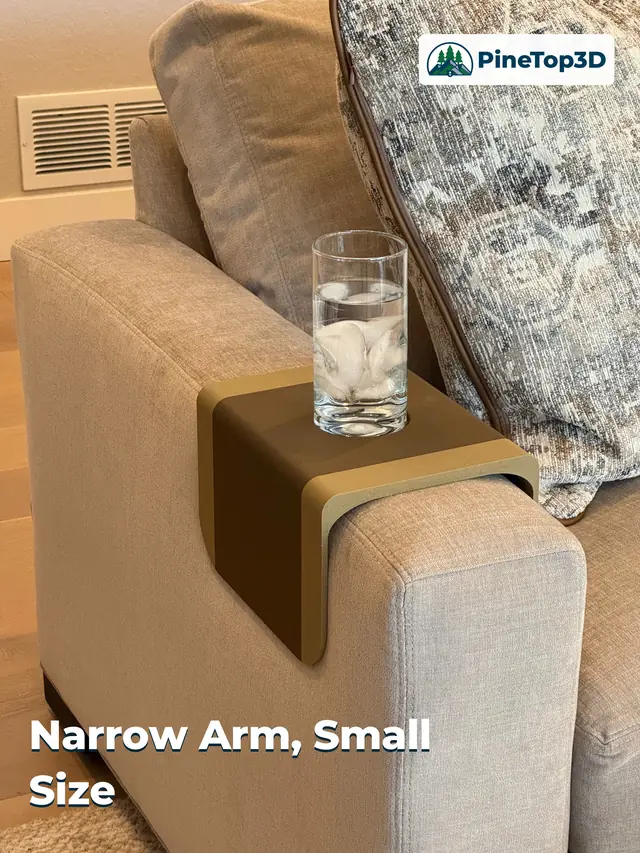
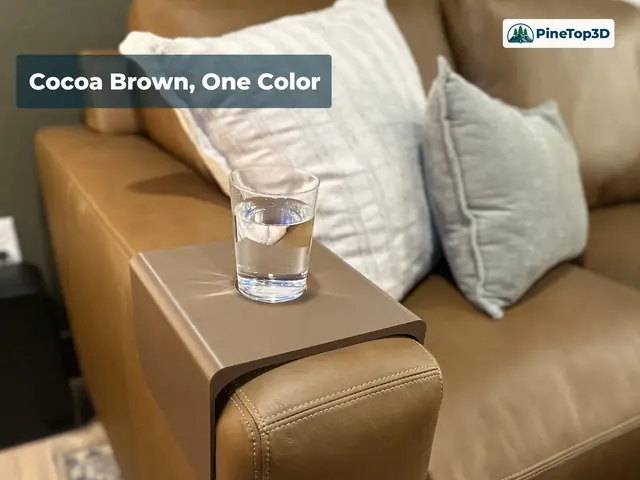
A parametric tray that slides over the padded arm of a sofa or sectional and holds a drink where there is no table. Click Customize on MakerWorld, type in your arm width, tray length, wing depth and cup diameter, and you get a tray that fits your couch, not mine. The two trays in the photos came from the same model with different numbers: one on a narrow fabric arm, one on a wide leather arm.
1 print profile + Customize · Free download · Standard Digital File License
Nothing to clamp, strap, or screw
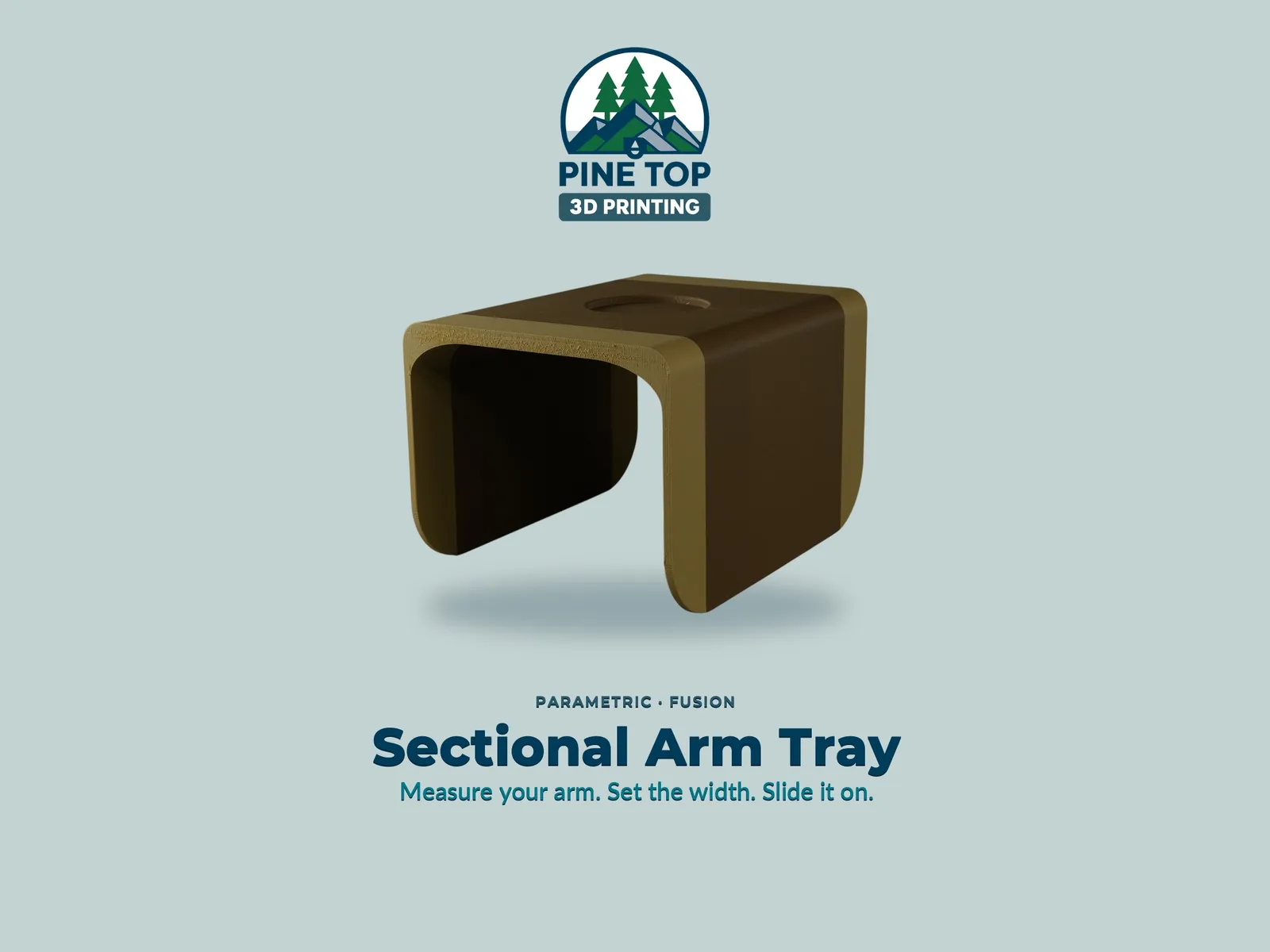
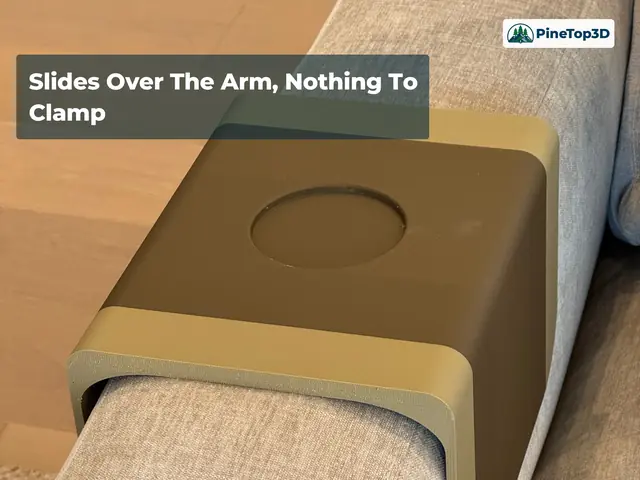
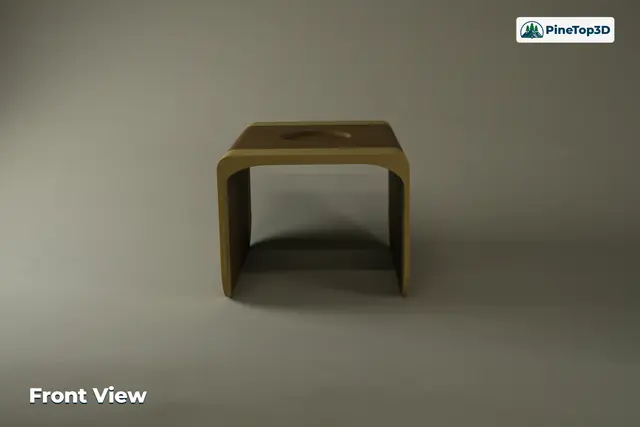
The tray is a single U-shaped piece: a flat top with a recessed cup holder and two wings that hang down over the sides of the arm. Its own weight and the wings keep it put, and it lifts straight off when you want it gone.
The cup recess is a shallow pocket, not a hole, so the glass sits flat on solid plastic — and when the glass is elsewhere, the tray still works as a plain flat surface for a phone or a remote.
Four numbers in the Customize panel
| Parameter | What it does | Printed example |
|---|---|---|
| Arm_Width | Inside span between the wings; the arm slides through here | 180 mm (narrow fabric arm); wider for the leather arm |
| Tray_Length | Front-to-back length of the top | 250 mm |
| Wing_Depth | How far the wings hang down the sides of the arm | 150 mm |
| Cup_Diameter | Diameter of the recessed cup holder | 78 mm — a standard tumbler or pint glass |
The walls are 5 mm and the top is 10 mm, so the outside width is Arm_Width plus 10 mm. The narrow tray in the photos measures 190 mm across the outside; the wide one measures 235 mm.
How much clearance you need depends on how much give the arm has: a firm leather arm wants very little, a soft fabric arm compresses and can take a snug setting. The model includes a fit-test piece that picks up your Arm_Width — the only number it needs; it ignores the other three. It prints in a fraction of the time of the full tray, and 10% gyroid infill is acceptable for the test piece if you want a little more speed. Set your Arm_Width, print the test piece, slide it over the arm, and adjust the number before you commit to the full print.
A file generated through Customize does not carry the print profile's slicer settings — in my testing it opened on Bambu Studio's stock preset and every change had to be added by hand. Before you slice, re-enter each change in the profile settings table, and stand the tray on end.
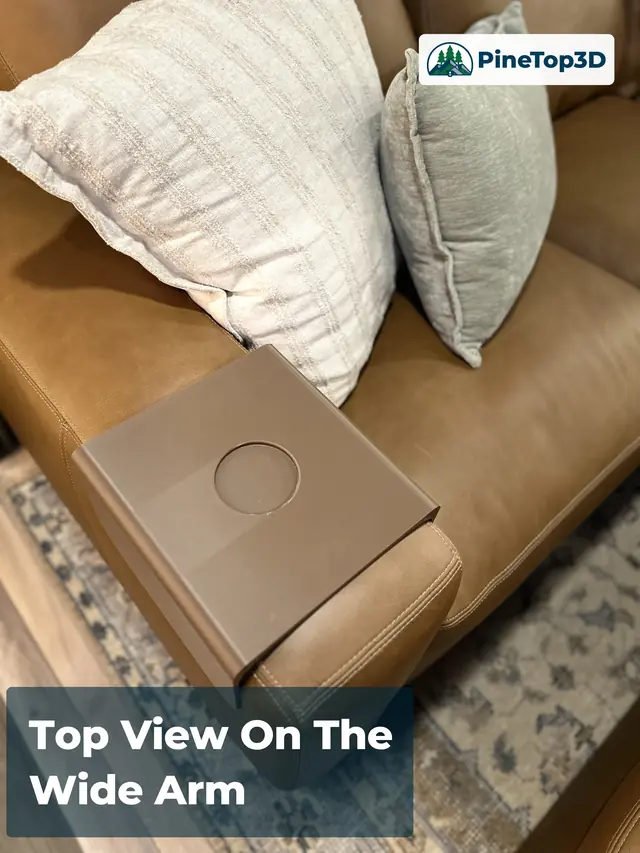
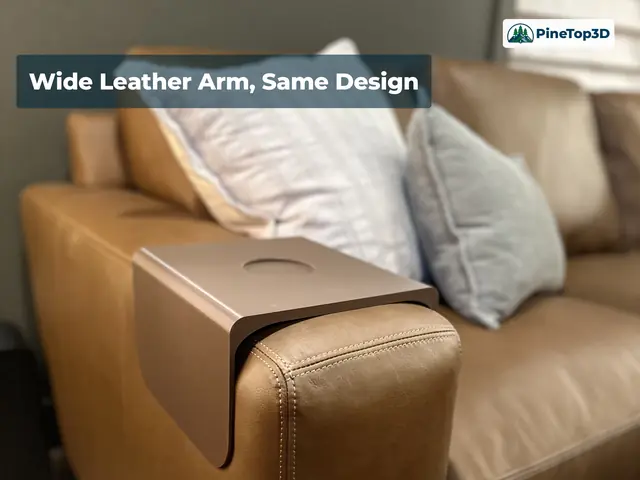
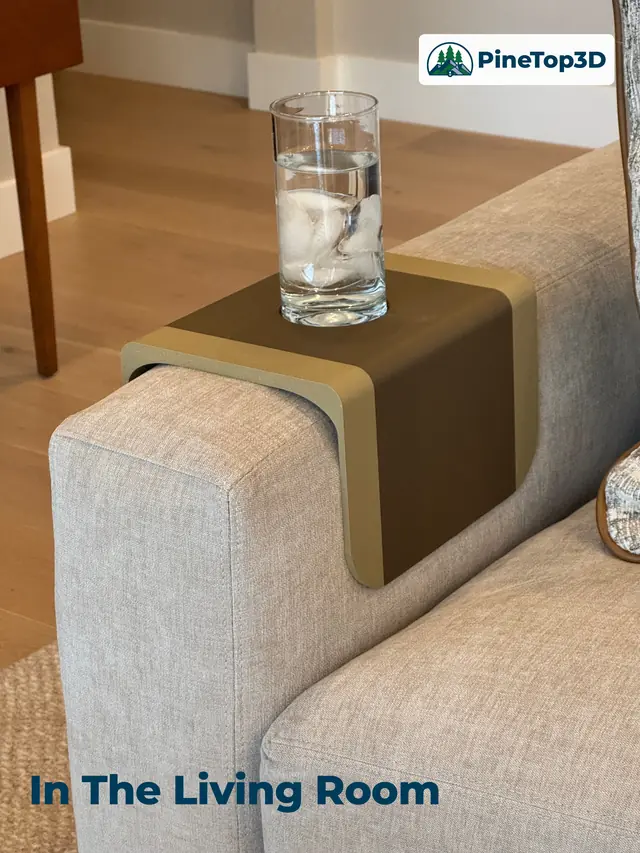
Simple, but functional
My daughter asked if I could make a simple tray for her new sectional. She wanted something simple but functional. After I designed this and printed hers, I decided she had a good idea and printed one for myself.
Simple and functional became the brief: one piece, nothing to clamp, a pocket for the glass and a flat top for everything else.
A second sofa is a parameter change, not a remodel
The benefit of setting parameters in Fusion is that the second tray, with different dimensions, was very simple to make. The same parameter set is what let me turn on the customizer for this model, so the tray you print is sized to your arm, not mine.
Four user parameters drive the whole body. Arm_Width sets the inside span between the wings, Tray_Length the front-to-back length, Wing_Depth how far the wings hang, and Cup_Diameter the pocket. Wall and top thickness stay fixed at 5 mm and 10 mm, so the outside width always follows Arm_Width plus 10 mm — 190 mm on the narrow fabric arm, 235 mm on the wide leather one.
The cup is a blind pocket rather than a through hole, so the glass always sits on solid plastic. The fit-test piece picks up Arm_Width and ignores the other three, so the width you test is the width the tray prints at.
- One model, two sofas — the second tray came from new numbers, not a new model
- Four user parameters, all exposed in Customize
- Fixed 5 mm walls and 10 mm top: outside width = Arm_Width + 10 mm
- Blind cup pocket keeps a flat, solid floor under the glass
- Fit-test piece picks up Arm_Width only — the one number that decides the fit
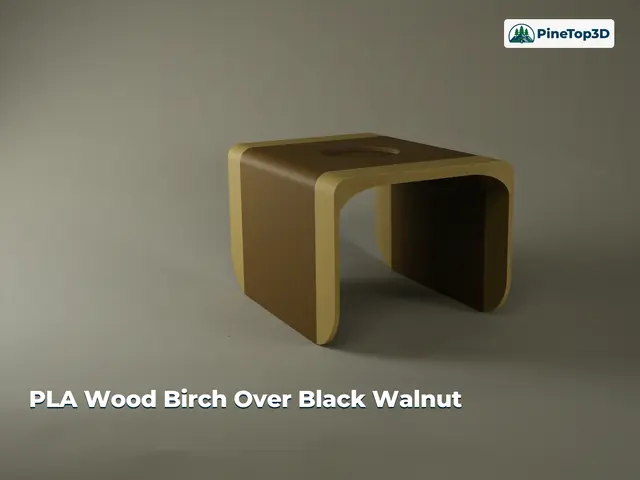
Match the couch, or stand out against it
The two-tone tray is Bambu Lab PLA Wood Classic Birch and Black Walnut, printed for a narrow fabric arm with Arm_Width set to 180 mm. The single-color tray is Bambu Lab PLA Basic Cocoa Brown on a wider leather arm. Pick a color that matches the couch or one that stands out against it; the shape is the same either way.
One profile, sized by you, printed standing on end
- The parametric model with Customize enabled (Arm_Width, Tray_Length, Wing_Depth, Cup_Diameter)
- A print profile for the tray as photographed
- The parameter-driven fit-test piece
| Print profile | Plates | Filament | Print time (H2C) |
|---|---|---|---|
| 0.24 mm layer, 2 walls, 15% infill | 1 | 417 g PLA | 11.6 h |
Filament and time are MakerWorld's figures for the profile on a Bambu Lab H2C at the photographed size; other printers, and a different Tray_Length or Wing_Depth, change both. Measure the arm and run the fit test first — the test piece takes minutes and the full tray takes hours.
Why it prints standing on end
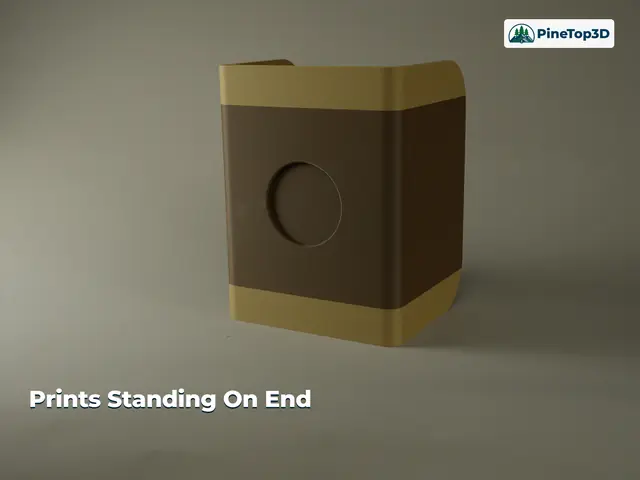
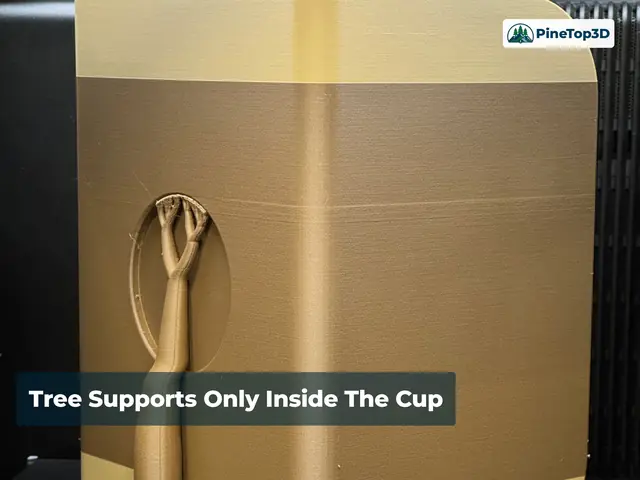
The tray stands on end with the U profile on the plate, so Tray_Length becomes the print height and both wings and the top print as vertical walls. None of the visible outside surfaces needs support. The orientation also puts the layer lines in the strongest position for this job: every layer is a complete U, so when the arm presses the wings outward the load runs along the layers instead of trying to pull them apart. The cup recess turns into a sideways pocket in that orientation, and it gets tree supports; the lower wing flares get supports too.
The profile builds those supports from the same filament you're printing with, so it runs on a single spool. For a cleaner floor in the cup recess, load a support-interface material (Bambu Support for PLA, for example) and accept the slicer's recommended changes when you assign it.
Two-tone bands. The Birch-and-Walnut tray is two filament changes set at layer heights in the slicer: 36 mm and 214 mm on the 250 mm tray, which puts a 36 mm Birch band at each end. If you change Tray_Length, move the second change to Tray_Length minus 36 mm and the bands stay matched.
Profile settings to re-enter
Every change the profile makes to Bambu Studio's 0.24mm Standard @BBL H2C preset (0.4 mm nozzle), read from the project file. The downloaded profile already has them; a Customize file does not. Everything else — 2 walls, 4 top and 3 bottom shell layers, auto brim, 0.2 mm support top Z distance — is the stock preset.
| Setting | Tab | Stock preset | This profile |
|---|---|---|---|
| Sparse infill | Strength | 15% Grid | 15% Gyroid |
| Wall generator | Quality | Classic | Arachne |
| Seam position | Quality | Aligned | Nearest |
| Slicing resolution | Quality | 0.012 mm | 0.004 mm |
| Slice gap closing radius | Quality | 0.049 mm | 0.01 mm |
| Arc fitting | Quality | On | Off |
| Enable support | Support | Off | On |
| Support style | Support | Default (tree auto) | Tree Hybrid |
| Outer wall speed — tray object | Speed (object) | 200 mm/s | 100 mm/s |
| Plate type | Plate | — | Textured PEI Plate |
Outer wall speed is a per-object setting on the tray (right-click the object → Edit process settings), not a global one. Fit-test piece: 10% gyroid infill is acceptable for the test piece only, for a little more speed — not required.
- Material: PLA. Both trays shown are Bambu Lab PLA (Wood and Basic).
- Profile: built on 0.24mm Standard @BBL H2C, 0.4 mm nozzle — 2 walls, 15% gyroid infill, Arachne walls. A 0.6 mm nozzle at 0.24 mm High Quality also printed with excellent results.
- Supports: tree supports in the cup recess and at the lower wing flares, in the same material by default; a support-interface material gives a cleaner recess.
- Plate: Textured PEI Plate with an automatic brim — the tall, narrow footprint benefits from the extra grip.
- Orientation: standing on end, U profile on the plate, as supplied.
- Customize downloads: the generated file does not include the profile's settings — re-enter the changes in the profile settings table before slicing.
- Fit-test piece: 10% gyroid is acceptable for the test piece only (not required) and prints a little faster; the tray stays at 15%.
- Printers: Bambu Lab A, P, X and H series. At 250 mm tall the tray does not fit an A1 mini.
Measure the arm, print the fit test, then print the tray.
Free on MakerWorld with Customize built in — and a download helps support the shop.
Download free on MakerWorld